
 Configuring the Application through Web Store Adminstration
 Configuring the Application through Web Store Adminstration
The administration page is used to administer and originally configure the Web Store. Note that you may be prompted for a login if you configured the Admin directory to disallow access for Anonymous users.
On the left you can see the Configuration section which you can follow to configure the store.
Web Store Adminstration Link: (change /webstore/ to your virtual's name)
http://localhost/webstore/admin/default.aspx
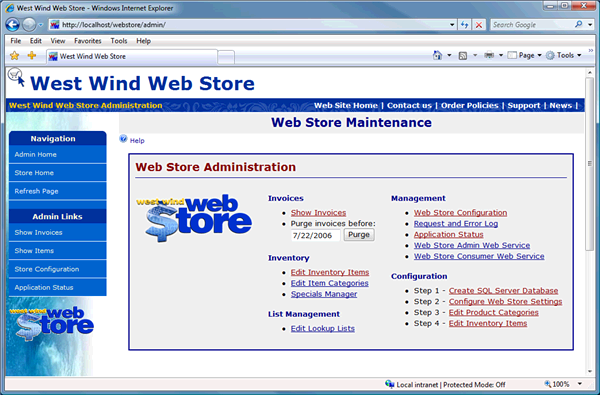
Start by clicking on the Step 1 - Create SQL Server Database option which starts the 'Wizard'.
Note:
The bottom of the Admin page includes information about the account that ASP.Net is running under to access the operating system. This value will usually be ASPNET (Windows 2000) or SYSTEM or NETWORK SERVICE (Windows 2003). This account must have full access rights in the Web Store Web application directories. For more info see Create and Configure Web Store Virtual.If you get ASP.Net or IIS Access Denied errors during any of these operations double check your permissions for this account in the Web directories.

Comment or report problem with topic