
 Opening the West Wind Web Store Solution
 Opening the West Wind Web Store Solution
The Web Store comes as a VS.Net Solution that is made up of 6 projects. The main project is the Web Project with the other projects being the business objects and a set of support libraries.
Before you open the solution make sure you ran the _WebStoreConfig.exe program (it should have autolaunched) as this updates the solution for your server configuration. On this form you basically specify the name of the Web Server Path to your project:
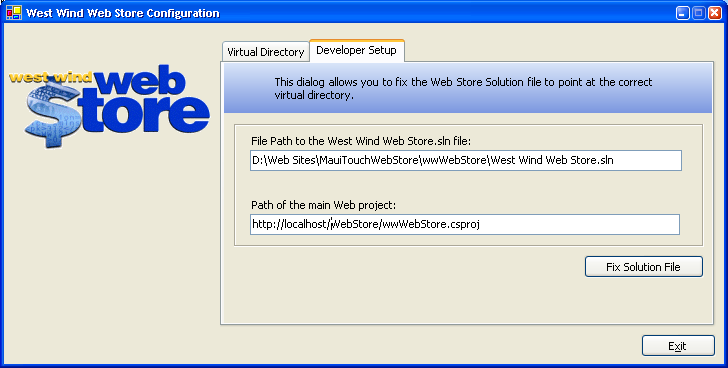
The default values should work in just about all situations, unless you have a multi-homed server and you need to specify a specific IP address or domain name.
Once the solution has been fixed you can open it. When you fire up VS.Net with you should see the Solution Explorer with 6 projects opened in it:
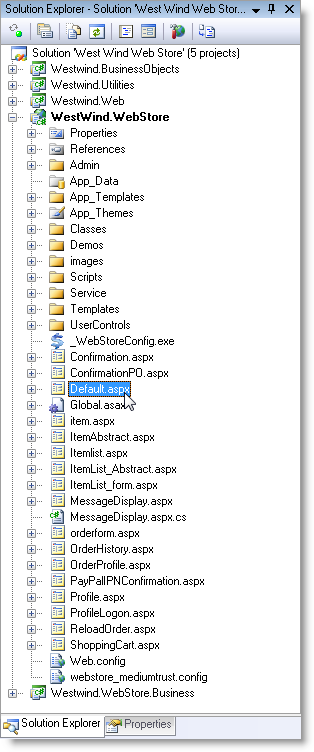
There are 6 projects total, of which only the wwWebStore and WebStoreBusiness projects are application specific. The other are utility class libraries and are optional and can be removed from the solution if you choose.
Here's a description of each project:
wwWebStore
This is the main Web application project. It contains the ASP.Net pages and controls, the Web Service and a redirection HTTP Module that allows you to re-route other extensions to the Web Store.
WebStoreBusiness
These are the WebStore specific business objects that handle most of the store's logic. They are subclasses of the wwBusiness class which is stored in another project.
wwBusiness
This is the Business object base class project. It contains the reusable business object base classes including wwBusiness, wwData and wwSQL Data.
wwWebDataControls
A set of custom controls that simplify databinding considerably. Among other things they provide true declaritive two-way databinding.
wwUtils
A set of utility classes that provide many string helpers, a lighter front end for reflection and a few data utilities.
wwIPStuff
A class library that implements HTTP and SMTP services. The HTTP implementation is a wrapper around the .Net WebRequest class that greatly simplifies its use, while the SMTP implementation is pure socket implementation that doesn't require any COM objects as the .Net WebEmail client does.
Getting Started with the project
The first step after installation should be to recompile the project. Since all the source files are now in a new location after installation some of the files will not properly open in the VS.Net editors. The recompilation fixes this and should allow you to open ASPX pages for editing.No further configuration should be required. You're ready to get to work and customize the templates or customize the source code!

Comment or report problem with topic