
 Step 4 - Adding simple User Input with QueryStrings
The demo from the previous step is cool because it take very little code. But it's also very limited because it's very static: We're running a fixed SQL statement that's returning all records. It would be nice to specify a 'parameter' to search for customers by name.
Using parameters via the QueryString
Let's change the code above to allow us to specify a company search 'parameter' via the brower's URL QueryString.
Add the following block of code to the top of the CustomerList() method:
*** Retrieve the customer via Querystring parameter from the URL
lcCompany = Request.QueryString("Company")

*** Run a query with company as parameter
SELECT company, LastName, firstName, Phone, Entered ;
   FROM Customers ;
   WHERE UPPER(Company) = UPPER(lcCompany) ;
   ORDER BY Company ;
   INTO CURSOR TQuery
Now try the following URLs in your browser:
IIS:
http://localhost/WebDemo/CustomerList.wp?Company=A
IIS Express:
http://localhost:7000/CustomerList.wp?Company=A
Web Connection Web Server:
http://localhost:5200/CustomerList.wp?Company=A
You should now get a list back that includes only those companies that start with a 'A':
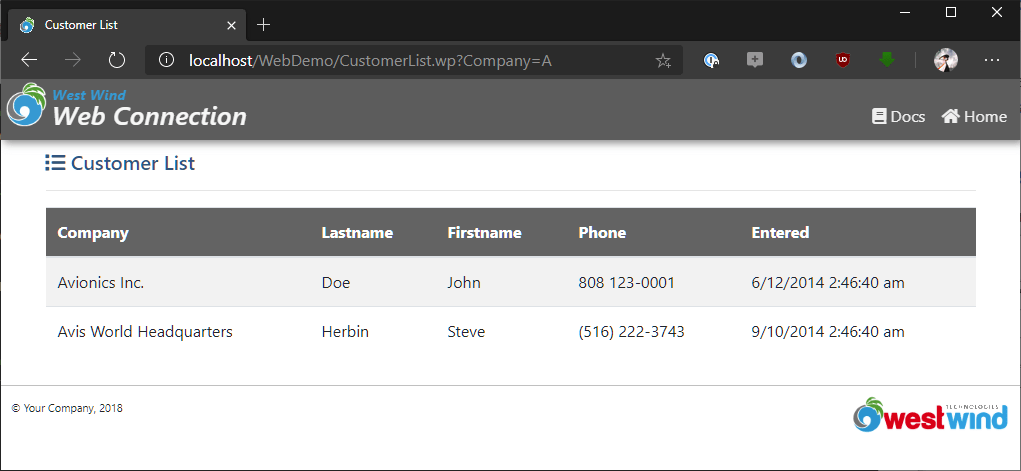
This code uses the Request.QueryString() method to look for a parameter named Company and if it finds it returns the value - in this case the letter A. The lcCompany variable is then used in the query to effectively filter the list to all customers that start with an A.
Parameters on the QueryString are passed in url encoded format which is in key=value&key2=value2&key3=value3 format. The Request.QueryString() method decodes the query string parameters and returns a string value or empty.
Query parameters are useful for simple parameters. Typically they should be used for simple values or more likely ID like keys or other identifiers. Note that query string parameters are not meant to pass lots of data.
Cleaning up the code
While we've added this query functionality let's also clean up the request a little to include a record count, and show an error message when no records are returned. Go back to the CustomerList() function:
FUNCTION CustomerList()

*** Retrieve the customer via Querystring parameter from the URL
lcCompany = Request.QueryString("Company")

*** Run a query with company as parameter
SELECT company, LastName, firstName, Phone, Entered ;
   FROM Customers ;
   WHERE UPPER(Company) = UPPER(lcCompany) ;
   ORDER BY Company ;
   INTO CURSOR TQuery

lnRecCount = _Tally

* **Helper to generate templated HTML Header
Response.Write(this.PageHeaderTemplate("Customer List"))

*** Display the dynamic record count as part of the header
TEXT TO lcHtml TEXTMERGE NOSHOW
<h3>
   <i class='fa fa-list'></i> Customer List
   <span class='badge badge-info badge-super'><<TRANSFORM(lnRecCount)>></span>
</h3>
<hr />
ENDTEXT
Response.Write(lcHtml)


IF lnRecCount > 0
	lcHtml = HtmlDataGrid("TQuery")
ELSE
	lcHtml = "<div class='alert alert-warning'><i class='fa fa-warning'></i>" + ;
            "No matching customers found for <b>'"  +  lcCompany + "'</b>.</div>"
ENDIF

Response.Write(lcHtml)

* **Helper to generate templated HTML Footer
Response.Write(this.PageFooterTemplate())

ENDFUNC
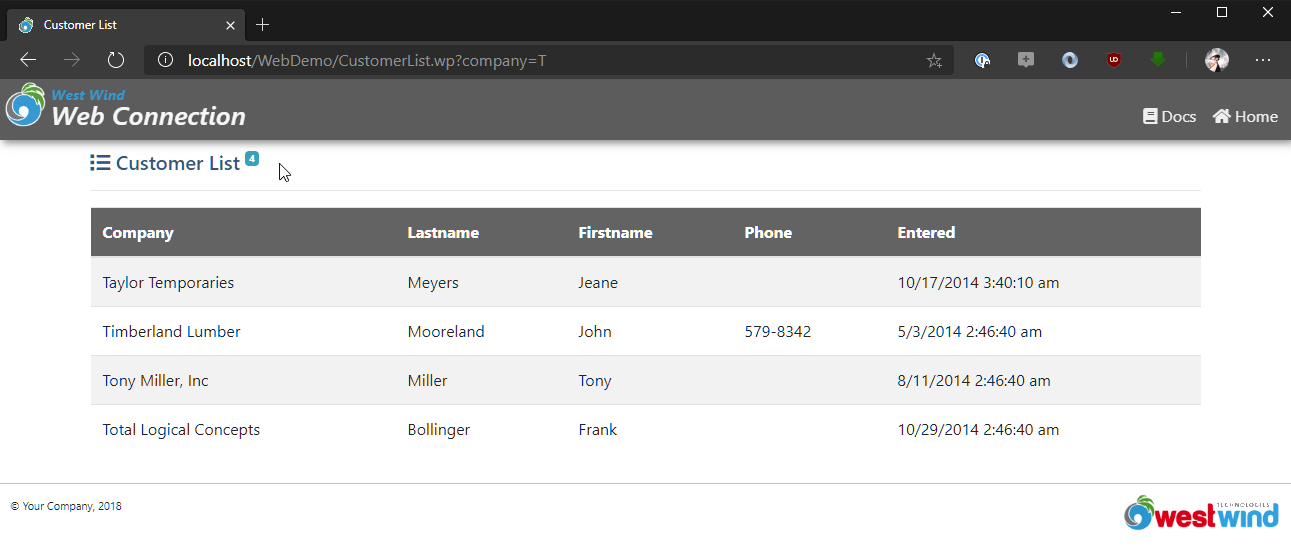
Now you get a customer list with a counter badge at the top:
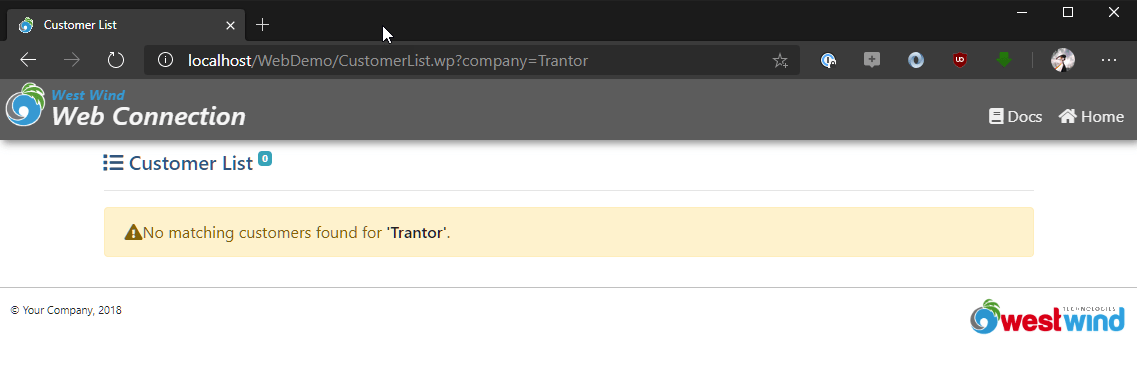
and if no customers are matched you see an error message instead of an empty grid:
Posting the data
Query strings work for IDs or simple terms like a search phrase. For real data entry however you need to use Form Data which can be retrieved on the server with Request.Form("FormVarName"). When an HTML form is presented on a page the data that you capture in that form typically is POSTed back to the server.
POST data is sent as request content to the server and - like a query string - is url encoded in the HTTP buffer that is passed by the Web server to Web Connection. You can use the Request.Form() set of functions to retrieve that content.
Using HTML forms then is a multi-step process:
- Setting up the HTML form
- Adding HTML Input and Select fields to capture user input
- Having the user fill out the form and submit it
- Capturing the Form data and do something with it
Depending on the situation, this process can be handled by multiple separate requests or a single one that effectively posts back to itself. The latter approach is common with a single 'page' handling both entering data and saving the data as well the logic and display of validation error handling.
For this extremely simple example, we'll move the Company input value from the Query string into an input field at the top of the form to allow the user to search.
In the simple example, of providing a single Company Search box we're going to use a single Web Connection request method to both generate the form and also retrieve the value.
Let's modify the CustomerList method one more time by adding the following to the top:
FUNCTION CustomerList()
*** Retrieve the customer via Querystring parameter from the URL
lcCompany = Request.Form("Company") && QueryString(), Params()
*** Run a query with company as parameter
SELECT company, LastName, firstName, Phone, Entered ;
FROM Customers ;
WHERE UPPER(Company) = UPPER(lcCompany) ;
ORDER BY Company ;
INTO CURSOR TQuery
lnRecCount = _Tally
* **Helper to generate templated HTML Header
Response.Write(this.PageHeaderTemplate("Customer List"))
*** Display the dynamic record count as part of the header
TEXT TO lcHtml TEXTMERGE NOSHOW
<h3>
<i class='fa fa-list'></i> Customer List
<span class='badge badge-info badge-super'><<TRANSFORM(lnRecCount)>></span>
</h3>
<hr />
<!-- THIS CODE SHOWS THE INPUT FORM THAT POSTS BACK TO THIS SAME PAGE -->
<form action="customerlist.wp" method="POST">
<div class="input-group mt-4 mb-3">
<div class="input-group-prepend">
<span class="input-group-text">
<i class="fas fa-search"></i> Company</span>
</div>
<input type="text" name="Company"
class="form-control"
placeholder="filter by company"
value="<<lcCompany>>"
/>
<div class="input-group-append">
<button type="submit" name="btnSearch" class="btn btn-primary mt-0" AccessKey="S">
Search...
</button>
</div>
</div>
</form>
ENDTEXT
Response.Write(lcHtml)
IF lnRecCount > 0
lcHtml = HtmlDataGrid("TQuery")
ELSE
lcHtml = "<div class='alert alert-warning'><i class='fa fa-warning'></i>" + ;
"No matching customers found for <b>'" + lcCompany + "'</b>.</div>"
ENDIF
Response.Write(lcHtml)
* **Helper to generate templated HTML Footer
Response.Write(this.PageFooterTemplate())
ENDFUNC
Here's what this form looks like now:
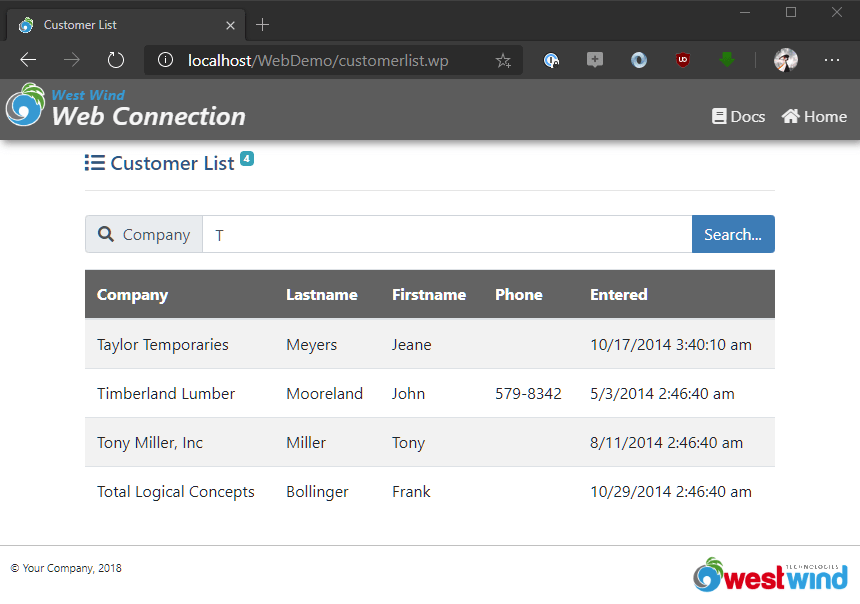
Notice that unlike previously the company search parameter is not part of the URL as you can see in the address bar. Instead the data from the Search form field is posted to the server. And the code picks up that value with:
lcCompany = Request.Form("Company")
To make this code a little more resilient yet you can use Request.Params:
lcCompany = Request.Params("Company")
.Params() retrieves values from a form field first, then from query string and finally from a Session variable. Using .Params() then works either with a form submission or a query string value. Try it out!
The key to the HTML block is the <form> tag itself that posts the input back to the same page. The other key piece is the <input> tag which holds the actual text input field and value. The value is captured from this input and the value attribute is set to the value the user entered into the search box, so the value is reflected back to the user.
Setting the value is important: HTML doesn't automatically retain an input value entered on the last request, so your code is responsible for setting explicitly:
<input type="text" name="Company" id="Company"
       value="<<lcCompany>>" />
In this case I'm writing the value back out within the TextMerge expression. Again, there are better ways to do this, but for now this demonstrates a simple but important concept.

Comment or report problem with topic