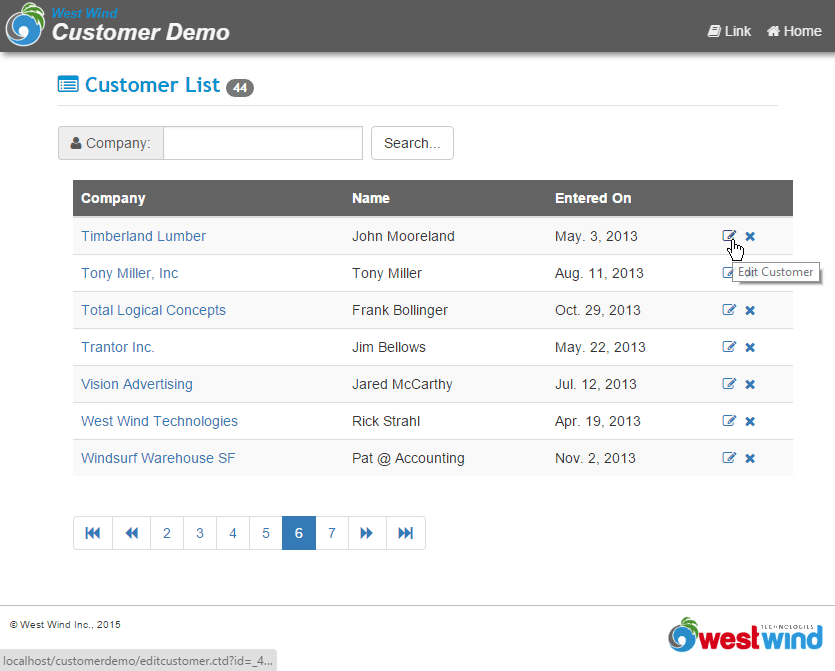
Again we have to start with the developer list to allow editing an entry. I'll add a field to the table called Action which will contain links to the Edit and Delete operations.
Change the SQL Statement to:
SELECT [<a href="Showdeveloper.dp?Id=] + TRANSFORM(pk) + [">] + Company + [</a>] as Company, ;
Name as Contact, State, City, Country, ;
[<a href="Editdeveloper.dp?Id=] + TRANSFORM(pk) + [">Edit</a> | ] + ;
[<a href="DeleteDeveloper.dp?Id=] + TRANSFORM(pk) + [">Delete</a>] as Action ;
FROM TDevelopers ;
INTO CURSOR TQuery
which now gives you:
Displaying the information for the developer is a piece of cake using a template page in front page. Again we use FrontPage to handle this for us:
<input type="text" name="txtCompany" size="40" value="<%= poDev.Company %>"></td>
Note that the name of the field is prefixed with txt - this is important when we capture the data. Each of the fields on the form is formatted this way and we'll use FormVarsToObject to capture these form vars directly back into our business object.
There are a couple of extra elements we need to deal with in editing that weren't an issue in display. First we need to validate and we'll handle this by filling a <%= pcErrorMsg %> variable with an error message. Validation is handled in the business object via a Validate() method which by default is blank. So let's fill it in with some basic error checks:
* cDeveloper::Validate LOCAL loDev loDev = THIS.oData lcErrors = "" IF EMPTY(loDev.Company) lcErrors = lcErrors + "A company name is required." + CHR(13) ENDIF IF EMPTY(loDev.Name) lcErrors = lcErrors + "A contact name is required." + CHR(13) ENDIF IF LEN(loDev.Services) < 200 lcErrors = lcErrors + "The service description is too short. At least 200 characters are required." + CHR(13) ENDIF IF !EMPTY(lcErrors) THIS.cErrorMsg = lcErrors RETURN .F. ENDIF RETURN .T.
The other issue is that we can handle both existing entries and new entries in the same method. We'll assume that if we get a PK passed to us we'll Load the entry, otherwise we'll call the business object's New method to create a new object for us. In order for this to work we need to pass the PK forward for each page and we'll do this with the form submission by passing the PK on the URL in the HTML form definition:
<form method="POST" action="EditDeveloper.dp?id=<%= poDev.pk %>">
So if we call EditDeveloper without a PK we create a new entry, call it with a PK we're updating an existing entry.
Ok, one last thing that's useful here since we're talking about new entries. The business object allows you to override behaviors and the New method is a good place to hook in things like default values. I want to default the country to United States and to have new developers a default setting of Development services. To do this I can add this to the New() method providing my defaults.
* cDeveloper::New DODEFAULT() THIS.oData.dev = 1 THIS.oData.Country = "United States"
Now we're ready to deal with the Web handling code. Here it is, short and sweet:
FUNCTION EditDeveloper()
lnPk = VAL(Request.QueryString("ID"))
pcErrorMsg = ""
loDev = CREATEOBJECT("cDeveloper")
IF !loDev.Load(lnPK)
*** Create a new Developer
loDev.New()
ENDIF
*** Easier Reference
poDev = loDev.oData
*** Save Operation
IF !EMPTY(Request.Form("btnSubmit"))
Request.FormVarsToObject(loDev.oData,"txt")
*** Now fix up checkboxes
lcVal = Request.Form("txtDev")
IF !EMPTY(lcVal)
loDev.oData.Dev = 1
ELSE
loDev.oData.Dev = 0
ENDIF
lcVal = Request.Form("txtTraining")
IF !EMPTY(lcVal)
loDev.oData.Training = 1
ELSE
loDev.oData.Training = 0
ENDIF
lcVal = Request.Form("txtSupport")
IF !EMPTY(lcVal)
loDev.oData.Support = 1
ELSE
loDev.oData.Support = 0
ENDIF
IF loDev.Validate()
loDev.Save()
THIS.Showdevelopers()
RETURN
ENDIF
pcErrorMsg = STRTRAN(loDev.cErrorMsg,CHR(13),"<br>")
ENDIF
poDev = loDev.oData
*** Load ShowDeveloper.dp page
Response.ExpandTemplate(Request.GetPhysicalPath())
ENDFUNC
The code starts by trying to load the developer object. If not found we assume a new developer is to be added. On first entry the btnSubmit form variable is empty because we didn't submit the form so the business object is simply displayed using ExpandTemplate.
When we save the entry btnSubmit is not empty and we capture the form variables back into the business object. Checkboxes are problematic for auto updates like this because they only have form vars if checked so you can't tell the difference whether they were unchecked or simply not included on the form. Hence we have to explicitly check those values. On the HTML page too a little work is required to get these guys to display correctly:
<input type="checkbox" value="1" name="txtDev" <%= iif(poDev.Dev = 1,"checked","") %> >Development
<input type="checkbox" value="1" name="txtSupport" <%= iif(poDev.Training = 1,"checked","") %> >Support<br>
<input type="checkbox" value="1" name="txtTraining" <%= iif(poDev.Support = 1,"checked","") %> >Training</td>
Once we have the values in the object we can validate. If validation goes through - great, we call the Save() method of the business object and the data gets written to disk. If it fails we get an error message back from the validate method in the cErrorMsg property. I choose to use CHR(13) as my error message delimiter, and I replace those with <br> HTML line breaks so that the error message displays correctly on the top of the page.
Note now that this single edit page can handle all of the following:
Each one of the form fields is embedded into the page like this:
All with about 30 lines of code. because the business object is doing all of the hard work. Note that this really separates the layers of the application into the user interface (templates), the middle tier (Web Handling/front end) and the business layer (business object). The latter doesn't know or care anything about the Web and can be plugged in anywhere now.